
In a nutshell…
Cross Site Request Forgery (CSRF/XSRF) is an attack where a malicious website forges request(s) to some legitimate website on behalf of an unsuspecting user.
For example, say Bob logs into his bank account to assess his finances. Bob’s bank’s website is vulnerable to XSRF and while logged in Bob happens to visit a sketchy anime site that is secretly targeting his bank. That sketchy site employs some sneaky JavaScript which secretly send requests to Bob’s banking site, on Bob’s behalf, without Bob knowing, transferring away his millions.
XSRF is an old school attack and as such safeguards have been invented to protect against it, namely the browser security model known as CORS and the larger security mechanism known as the Same Origin Policy (SOP). Nonetheless, with enough free time on a Sunday afternoon it is still possible to sort of pull off an XSRF attack (albeit against yourself).
This post attempts to demonstrate how an XSRF attack works in practice using the two example sites below.
In Practice
- Site 1: The Vulnerable Site
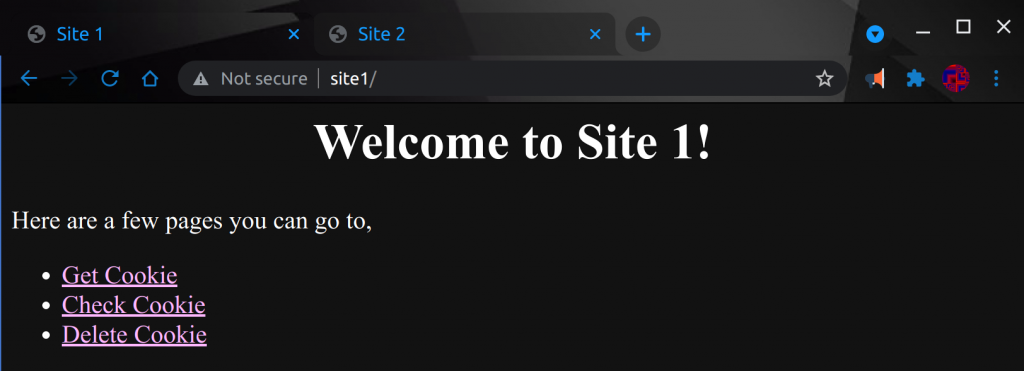
As you can see from the image, site 1 has some simple pages we can visit. If
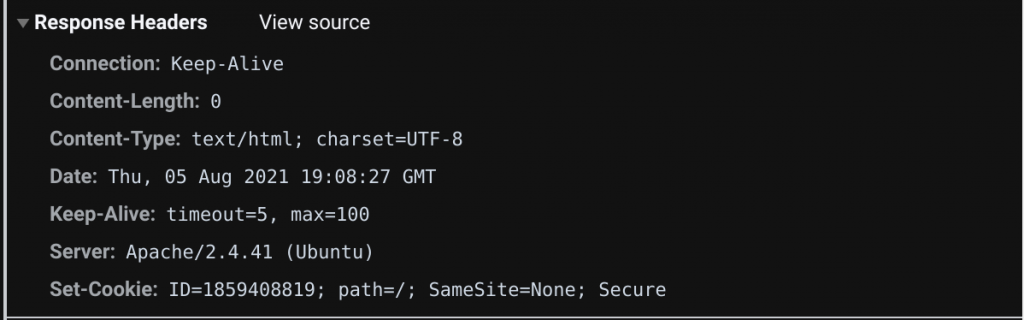
we visit the ‘Get Cookie’ page not much happens on our screen. However, if we
open up the chrome debugger and look at the HTTP Headers of the site’s response we’ll see the page has set a cookie.
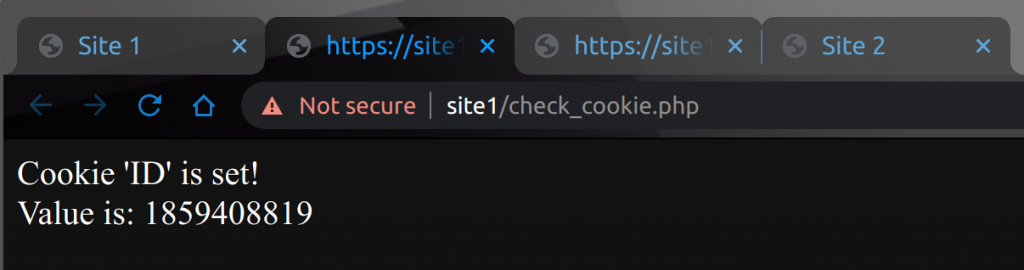
We can verify this by visiting, https://site1/check_cookie.php. Sure enough,
when we visit the ‘Check Cookie’ page the same random cookie value for ‘ID’ is
displayed to us.
And lastly on site 1 is the ‘Delete Cookie’ page which does exactly what it
sounds like. We can think of ‘Get Cookie’ and ‘Delete Cookie’ as roughly
equivalent to login and logout, and ‘Check Cookie’ as a stand-in for ‘do
something while logged into the site’.
Now let’s take a look at site 2 and pull off the XSRF attack against ourselves.
- Site 2: The Attacker’s Site
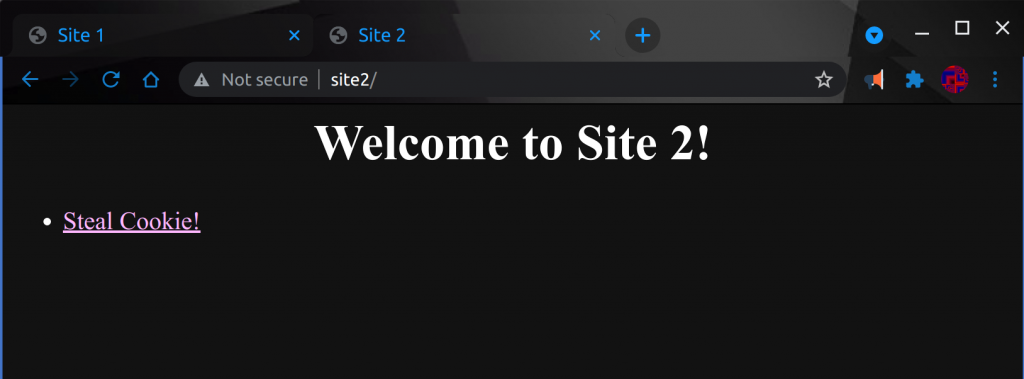
As we can see, site 2 just has a link to a ‘Steal Cookie’ page. And if we visit
the ‘Steal Cookie’ we see a JavaScript alert box displaying the value of the
cookie given to us by site 1.
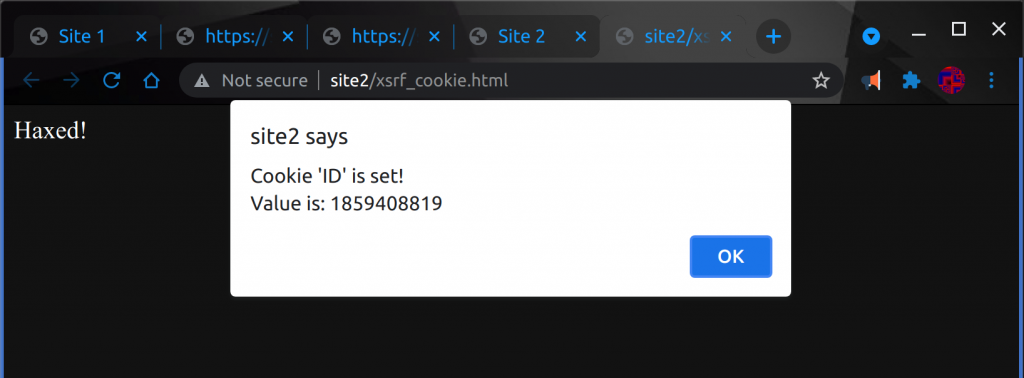
So how did that work? How did site 2 manage to get access to the cookie given
to us by site 1? We’ll lets look closer at the code that makes up sites 1 and
2 to get the answers.
Into The Code
Let’s start by looking at the site 1 ‘Get Cookie’ page.
get_cookie.php
<?php
$cookie_name = "ID";
$cookie_value = rand();
$session_set_cookie_params = ([
    'lifetime' => time() + (86400 * 30),
    'path' => "/",
    'samesite' => 'None; Secure'
]);
setcookie($cookie_name, $cookie_value, $session_set_cookie_params);
?>
This is part of site 1’s XSRF vulnerability. In particular, the way the cookie
is set. There’s something called the SameSite attribute to the Set-Cookie HTTP Response Header. This flag on the HTTP ‘Set-Cookie’ header controls the scope in which cookies can be used for a site.
In the case of our vulnerable code above, the cookie is set with the SameSite
attribute ‘None’. This means our cookie will be sent to site 1 anytime our
browser makes a request to the site. It doesn’t matter if the request comes
from the same origin or a different origin, our cookie will be sent to site 1
all the same.
A quirk of setting SameSite to None is that you actually have to set it toSameSite=None; Secure because Chrome and other browsers have
deprecated the insecure SameSite=None. This just means that you have to talk to site 1 via HTTPS instead of plain old unencrypted HTTP.
“Cookies with SameSite=None must now also specify the Secure attribute (they
require a secure context/HTTPS).”
SameSite cookies – developer.mozilla.org
However, all that alone is not enough to pull off our XSRF attack. Site 1 also
has some very specifically set ‘Access-Control-Allow-‘ headers and pretty
clearly reflects our cookie value back to us. Before we get there though let’s
look at the exploit code on site 2.
xsrf_cookie.html
<script>
var xhr = new XMLHttpRequest();
var url = "https://site1/check_cookie.php";
xhr.open("GET", url, true);
xhr.withCredentials = true;
xhr.send(null);
xhr.onreadystatechange = function () {
    if (xhr.readyState === 4 && xhr.status === 200) {
        //console.log(xhr.responseText);
        alert(xhr.responseText);
    }
};
</script>
The above code uses the JavaScript XMLHttpRequest object to make a request to site 1. JavaScript is executed in the browser, and so the GET request being made to check_cookie.php page comes from the victims browser. And because the ‘SameSite’ attribute on our cookie was set to ‘none’, the cookie is sent along with the request whenever the above JavaScript is triggered.
One thing worth noting about the above code is that you have to use xhr.withCredentials = true; in order to tell the browser to send the cookie with the request to site 1.
You may also have to allow third party cookies in your browser in order for
this all to work.
- How To: Chrome
Chrome > Settings > Advanced Settings > Privacy > Content Settings > Allow third-party cookies
- How To: Firefox
Tools > Options > Privacy > Accept cookies from sites > Accept third-party cookies
But all that is still not enough to allow our XSRF attack. An important piece
of the puzzle remains. Let’s look back at the ‘Check Cookie’ page on site 1.
check_cookie.php
<?php
header("Access-Control-Allow-Origin: http://site2");
header("Access-Control-Allow-Credentials: true");

$cookie_name = "ID";

if(!isset($_COOKIE[$cookie_name])) {
  echo "Cookie named '" . $cookie_name . "' is not set!";
} else {
  echo "Cookie '" . $cookie_name . "' is set!\n";
  echo "Value is: " . $_COOKIE[$cookie_name];
}
?>
Two important HTTP headers are set at the top of the ‘Check Cookie’ page. The first one, Access-Control-Allow-Origin specifies what origins are allowed to make requests to our page. Because we’re using withCredentials = true to send our cookie we have to explicitly specify the allowed origin. See this article for more information as to why.
So nowadays due to CORS, site 1 has to allows this attack to happen to it from site 2. Or rather site 1 might just be a website that’s set up to allow cross origin requests from site 2. For example, maybe site 2 only exists on an intranet and therefore site 1 sort of ‘trusts’ traffic from the internal origin.
The second header Access-Control-Allow-Credentials allows XMLHttpRequest.withCredentials. Since that is exactly what site 2 is doing, this header must be set on site 1. See this documentation for more info.
In Conclusion
XSRF attacks are a way for a malicious site to make cross origin requests to another site in order to extract information or take actions on an unsuspecting participant’s behalf. Its mostly blocked today by security mechanisms / practices that are built into browsers such as CORS. However, there are real cases of this type of vulnerability. See the History Section of the XSRF Wikipedia article for examples. And even if it is mostly a dead vulnerability nowadays, it still provides good context for understanding the basic web security models that are in place today.
In the above example shows cross-origin XSRF. However, don’t confuse cross-origin with cross-site. XSRF attacks can also incorporate XSS to embed malicious JavaScript into the same site, creating a same origin XSRF attack. This is actually a much easier attack to pull off as you can bypass all of the CORS stuff we delt with above. In that case you just have to contend with the Same Origin Policy (SOP). But thats a subject for another day. Thanks for reading!